Plesk Panel: 10 Essential Apache and Nginx Settings for Optimal Performance and Security
Plesk Panel: 10 Essential Apache and Nginx Settings for Optimal Performance and Security
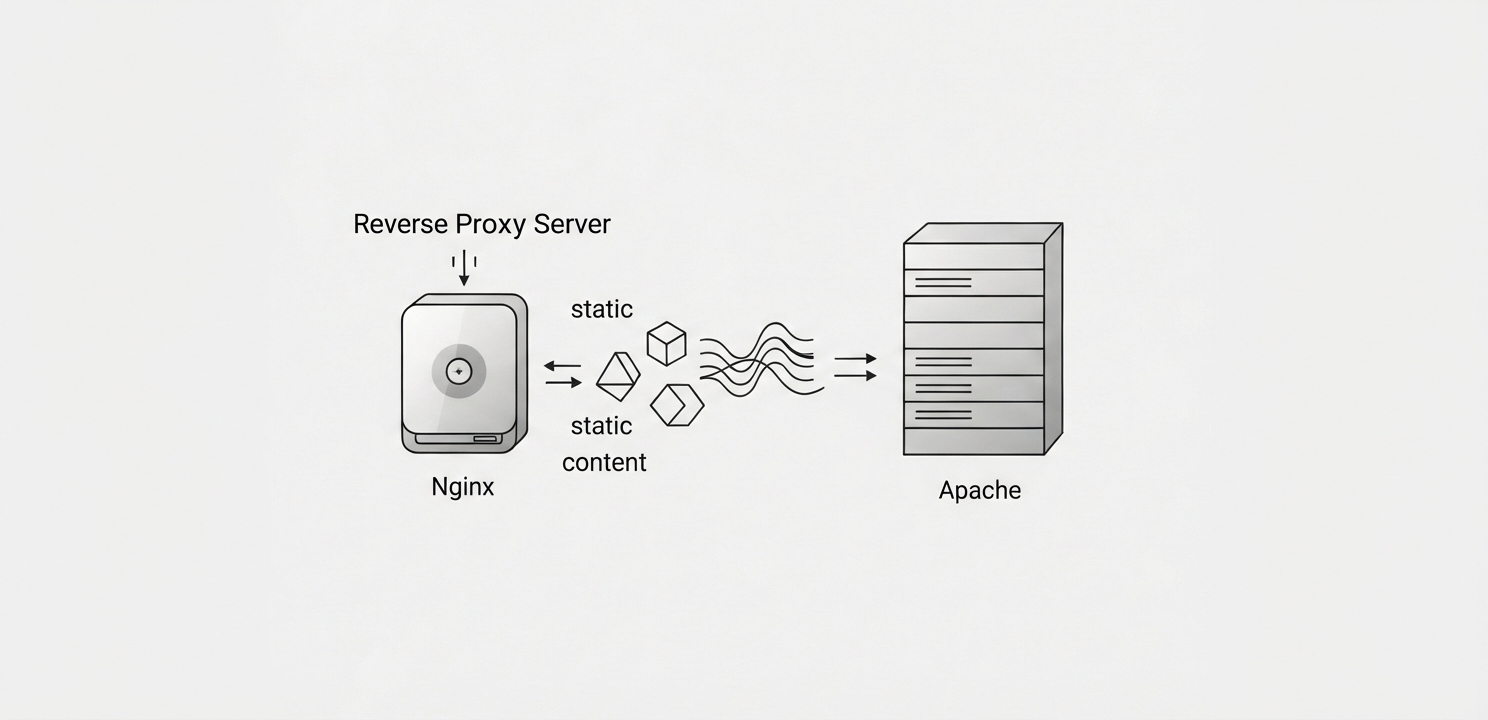
Apache and Nginx work together, with Nginx acting as a reverse proxy.
Plesk Panel: 10 Essential Apache and Nginx Settings for Optimal Performance and Security
Plesk Panel serves as a robust web hosting control panel, designed to streamline the management of web servers and websites. It offers an intuitive, user-friendly interface for controlling various aspects of your hosting environment, including critical Apache and Nginx settings. Properly configuring these settings is fundamental to optimizing your website’s performance and bolstering its security. This article explores the essential Apache and Nginx configurations available within Plesk Panel and how they can be tailored to enhance your site’s efficiency and safety. For a more detailed exploration, you can visit the full guide at .
Key Settings for Apache and Nginx
Both Apache and Nginx play pivotal roles in how your website serves content to visitors. Apache is renowned for its power and flexibility, while Nginx excels at speed and handling concurrent connections. Plesk allows them to work in tandem, typically with Nginx as a reverse proxy to Apache, combining their strengths for a superior hosting experience.
Fine-Tuning Apache Settings for Reliability
Apache is a highly flexible web server, and Plesk provides granular control over its configuration to meet your specific needs.
Apache Modules: Plesk simplifies the process of enabling or disabling Apache modules. These modules are essential for extending the server’s core functionality, enabling features like URL rewriting with mod_rewrite for SEO-friendly URLs or securing data transmission with mod_ssl. Carefully selecting only the necessary modules reduces the server’s memory footprint and attack surface. The complete Apache Module documentation offers an exhaustive reference for each available module.
PHP Settings: You can directly adjust PHP parameters like memory_limit, max_execution_time, and error_reporting through the Plesk interface. For resource-intensive platforms such as content management systems or e-commerce sites, increasing the memory_limit is often necessary for smooth operation. Similarly, adjusting the max_execution_time prevents scripts that handle large data processing tasks from timing out prematurely.
Virtual Host Configuration: Plesk makes managing multiple websites on a single server straightforward through its virtual host management tools. You can easily configure document roots, create domain aliases, and assign SSL/TLS certificates for each hosted site, ensuring proper isolation and preventing configuration conflicts.
Security Enhancements: To protect against common web-based threats, Plesk integrates security tools like the mod_security web application firewall (WAF). This module can mitigate attacks such as SQL injection and cross-site scripting (XSS). Furthermore, you can enforce secure connections by configuring robust SSL/TLS protocols, safeguarding data integrity and confidentiality.
Apache and Nginx settings enhance server security by filtering malicious web traffic automatically.
Leveraging Nginx for Speed and Efficiency
Nginx is a high-performance web server that Plesk integrates as a reverse proxy in front of Apache. This configuration allows Nginx to handle client requests directly, improving speed and efficiency.
Reverse Proxy Functionality: By default, Plesk configures Nginx to act as a reverse proxy, which is highly effective for caching and serving static content like images, CSS, and JavaScript files. This setup offloads the burden from Apache, freeing it up to focus on processing dynamic content, which leads to significantly faster response times and better server resource utilization.
–
Advanced Caching Options: Plesk provides robust caching options for Nginx. You can configure it to cache both static files and dynamic content, which dramatically reduces page load times, especially for returning visitors. Effective caching minimizes the number of requests that need to be processed by Apache, enhancing overall server performance and scalability.
–
Load Balancing Capabilities: For websites experiencing high traffic, Plesk supports Nginx load balancing. This allows you to distribute incoming traffic across multiple backend servers, preventing any single server from becoming a bottleneck. This not only improves uptime and reliability but also enables failover mechanisms, where traffic is automatically redirected if a server fails.
–
SSL/TLS Termination: Nginx can be configured to handle SSL/TLS termination, which means it decrypts encrypted traffic from clients before passing the unencrypted request to Apache. Because SSL/TLS decryption is a CPU-intensive process, offloading this task to Nginx frees up Apache’s resources, resulting in a noticeable performance boost, particularly for sites with heavy HTTPS traffic.
Mastering the configuration of Apache and Nginx settings within Plesk Panel is crucial for optimizing your website’s performance, security, and scalability. By taking advantage of the powerful features Plesk offers, you can create a hosting environment tailored to the unique demands of your web applications, ensuring a smooth and dependable experience for your users. Regularly reviewing these settings is a key part of maintaining a secure and efficient server. For a complete guide and additional tips, visit the original article at .