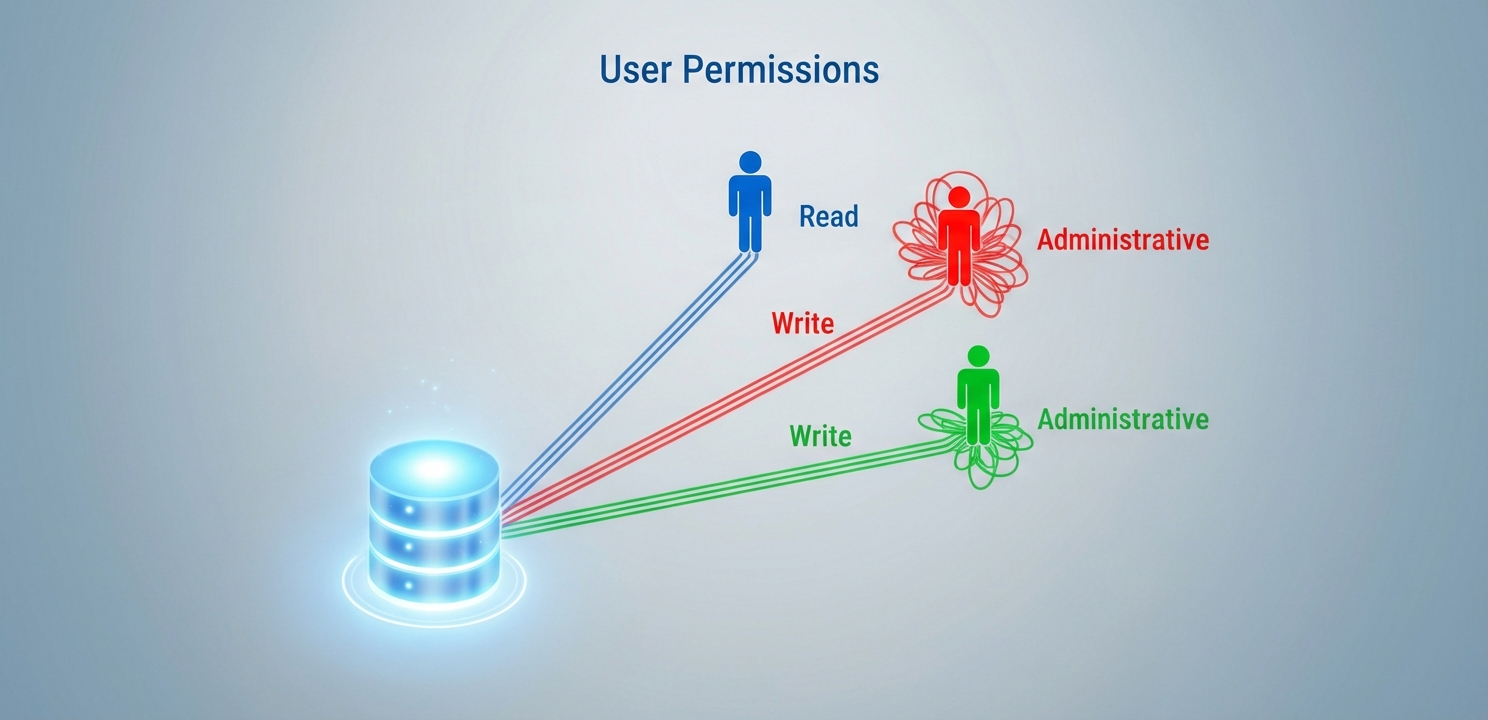
Database Management involves assigning specific user permissions to bolster security and protect data.
Database Management in Plesk Panel
The Plesk Panel offers a widely-used, intuitive interface for effective web server administration. A core component of this is proficiently handling databases, which serve as the essential foundation for the majority of modern websites and applications. Diligent Database Management not only guarantees seamless functionality but also significantly bolsters the security and performance of your digital assets. This guide provides a detailed walkthrough of how to manage databases within the Plesk Panel, covering everything from the initial creation of databases and users to executing backups and implementing robust security measures.
Understanding and utilizing the tools within Plesk for database administration is fundamental for any webmaster. Properly configured databases run faster, are less prone to errors, and are better protected against common vulnerabilities. By following a structured approach to management, you can ensure the long-term health and stability of your web services, safeguarding your valuable data while delivering a superior user experience.
Accessing and Navigating the Plesk Interface
Before any database operations can commence, you must first securely access your Plesk Panel. This is the central hub for all your server management activities.
First, open your preferred web browser and navigate to your unique Plesk Panel login URL. This address typically follows the format https://your-server-ip:8443.
Next, provide your designated username and password to authenticate your session. Upon successful login, you will be directed to the main dashboard, which provides a comprehensive overview of your web server’s services and resources. From here, you can navigate to all management areas, including the database section.
Core Database Creation and User Setup
Creating a new database is a fundamental task made simple by the Plesk interface. This process involves setting up the database itself and assigning a user with specific permissions to access it.
Creating a New Database
The initial step is to establish the database container that will hold your website’s data, such as content, user information, and settings.
From the main Plesk dashboard, locate and click on the “Databases” tab. This will take you to a section that lists all existing databases on your server.
Select the “Create Database” option to initiate the setup wizard. You will be presented with a form requesting key details for the new database.
Carefully enter the required information, including a unique database name, and associate it with a specific website subscription. It is crucial to adhere to best practices for naming conventions and to create a strong, unique password for the associated user to prevent unauthorized access. For more detailed official guidance, you can refer to the Plesk documentation on database management. Once created, this database is ready to be linked with your website or application.
Effective Database Management of User Permissions
Controlling who can access your database and what they can do is a critical aspect of security. Proper user management ensures data integrity and prevents malicious activity.
For each database, you must create a dedicated user. This involves defining a username and, most importantly, a complex password that will be used by your application to connect to the database.
Assign the necessary permissions to this user, such as read, write, or administrative rights. It is vital to follow the principle of least privilege, granting only the permissions that are absolutely required for the application to function correctly.
Periodically review and update these user permissions. As your website’s needs evolve, you may need to adjust access rights, removing any that are no longer necessary to maintain a secure environment.
Database Management requires implementing automated backup strategies for recovering critical information securely.
Advanced Management with PhpMyAdmin
Plesk integrates powerful tools like PhpMyAdmin, which provides a comprehensive graphical interface for in-depth database administration. This tool is indispensable for developers and administrators who need to interact directly with the database structure and data.
To access this feature, simply click on the “PhpMyAdmin” tab within the Plesk database section. This interface empowers you to perform a wide range of tasks without writing complex command-line instructions. You can visually create and modify tables, insert or edit data, execute SQL queries, and carry out various administrative functions. PhpMyAdmin is especially beneficial for those who prefer a visual workflow for database tasks, as it also includes robust functionalities for exporting and importing data, simplifying website migrations and data transfers between different servers or environments.
Backup, Restoration, and Maintenance Routines
Database Backup and Restore Procedures
Plesk allows you to back up and restore your databases directly through its interface. Utilizing the “Database Backup” and “Database Restore” functions is straightforward and reliable.
You can configure automatic, scheduled backups to ensure your data is consistently protected without manual effort. This automation is key to a robust disaster recovery plan.
It is a critical best practice to regularly test your backup files by performing a trial restoration. This verification ensures the integrity of your backups and confirms that you can recover your data successfully when needed.
Ongoing Database Operations
You have the ability to upgrade database server versions, which is crucial for compatibility with the latest web applications and for leveraging new features and security enhancements.
Monitoring the disk space consumed by your databases helps with effective resource management. Plesk provides tools to track usage and can alert you as you approach storage limits, preventing service disruptions.
Automated maintenance tasks, such as clearing out old, temporary data or optimizing database tables, can be set up to ensure your databases continue to perform at their best over time.
Enhancing Database Security and Performance
Set User Permissions Carefully: Always grant the least privilege necessary for a user to perform its function. Regularly audit these permissions to prevent unauthorized data access and minimize your attack surface.
Optimize for Performance: Routinely perform optimization tasks to enhance speed. This can include indexing frequently queried tables, updating database statistics, or defragmenting data to improve retrieval times.
Keep Software Updated: Ensure your database software is always up-to-date. Plesk simplifies the process of applying the latest updates and security patches, which is one of the most effective ways to protect against known vulnerabilities and maintain the integrity of your data.
Implement Additional Security: For sensitive information, consider implementing further security measures. This might include encrypting specific data fields and conducting regular, thorough security audits to proactively identify and address potential threats to your database environment.