Plesk Panel: 10 Ways to Maximize Server Management with API and Remote Tools
Plesk Panel: 10 Ways to Maximize Server Management with API and Remote Tools
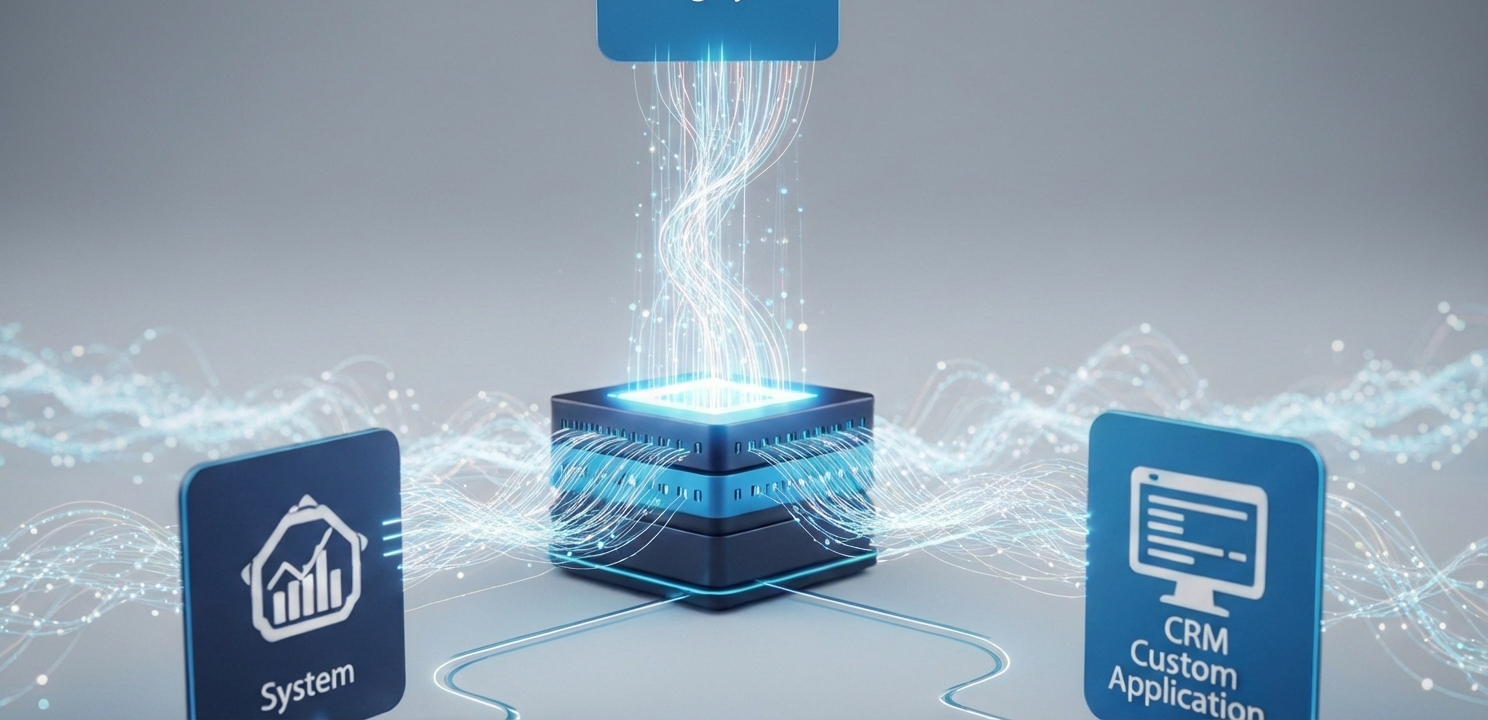
Plesk Panel API enables seamless integration with third-party business systems like billing and CRM software.
Plesk Panel: 10 Ways to Maximize Server Management with API and Remote Tools
Efficient server management is crucial for maintaining performance, security, and reliability. For administrators, leveraging a powerful control panel like the Plesk Panel is essential for streamlining complex operations. Plesk offers a comprehensive suite of tools and features designed to simplify server administration, and among its most powerful assets are its extensive API and remote management capabilities. These advanced features provide the foundation for automating routine tasks, integrating third-party applications, and managing servers from any location with remarkable ease. This article explores the core functionalities of the Plesk API and its remote tools, highlighting how they can be used to maximize server management efficiency and productivity.
By harnessing these tools, administrators can move from reactive troubleshooting to proactive management, creating workflows that save time, reduce manual errors, and enhance overall operational control. Whether you are automating account provisioning or remotely accessing a server to resolve a critical issue, Plesk provides the flexibility needed to handle diverse administrative challenges. We will examine the specific benefits of using the API and explore the practical applications of Plesk’s remote management solutions, demonstrating how they work together to offer a complete server management experience.
Understanding the Core Strengths of the Plesk Panel API
The Plesk Application Programming Interface (API) is a robust and flexible tool that empowers developers and administrators to interact with the Plesk Panel programmatically. It serves as a bridge between custom scripts or third-party systems and the Plesk environment, enabling automated control over a wide array of server functions. The API exposes a comprehensive set of methods to manage domains, create subscriptions, configure server settings, and much more, without needing to log into the graphical user interface. To support modern development practices, it offers both RESTful and RPC (Remote Procedure Call) interfaces. This dual-interface approach provides significant flexibility, allowing for seamless integration with a variety of external systems and applications. For developers seeking detailed guidance, the official Plesk REST API documentation serves as an authoritative and invaluable resource.
Key Benefits of Utilizing the Plesk API
Integrating the Plesk API into your server management strategy unlocks several significant advantages that directly contribute to operational excellence. These benefits are centered around automation, integration, and customization, each providing a pathway to more efficient and reliable server administration.
Automation of Repetitive Tasks: The API is engineered to eliminate the need for manual intervention in routine operations. Administrators can write scripts to automate tasks such as provisioning new hosting accounts, configuring email addresses, setting up databases, and managing system resources. This not only accelerates service delivery but also dramatically reduces the potential for human error, ensuring that configurations are applied consistently and accurately across the entire server infrastructure.
Seamless Third-Party Integration: A major strength of the API is its ability to connect Plesk with other critical business systems. It allows for seamless integration with billing platforms, customer relationship management (CRM) software, and custom-built applications. This connectivity enables the creation of a fully unified workflow where, for example, a new customer signing up through a billing system can have their hosting account automatically created and configured in Plesk without any manual input.
Enhanced Customization and Control: With the API, administrators are not limited to the standard functionalities of the Plesk interface. They can develop custom scripts and applications to perform specialized tasks tailored to their unique operational requirements. This could involve creating custom dashboards for monitoring specific server metrics, generating detailed performance reports, or implementing unique security protocols. This level of customization provides unparalleled flexibility and control over the server management experience.
Plesk Panel enables secure remote server administration from any location seamlessly.
Exploring Plesk’s Remote Management Tools
In addition to its powerful API, the Plesk Panel equips administrators with a suite of remote management tools designed for hands-on server administration from any location. These tools provide direct access to the server, ensuring that critical tasks can be performed promptly, whether you are in the office or on the move. This remote accessibility is key to maintaining server health and responding to issues in real time.
Plesk Mobile App: The Plesk Mobile App transforms your smartphone or tablet into a portable server management console. It allows administrators to monitor server status, manage domains and subscriptions, review access logs, and receive important notifications directly on their mobile devices. This constant connectivity provides peace of mind and empowers users to perform essential tasks, like restarting a service or blocking an IP address, without needing to access a computer.
Remote Desktop Access: For tasks that require interaction with a graphical user interface, Plesk provides remote desktop access capabilities. This feature is invaluable for administrators who need to install or configure applications that lack a command-line interface, troubleshoot complex software issues, or perform system updates in a familiar desktop environment. It eliminates the need for physical presence at the server location, offering a convenient and secure way to manage the server’s desktop directly.
Remote SSH Access: For administrators who prefer the power and efficiency of the command line, Plesk supports secure remote SSH (Secure Shell) access. SSH provides a direct, encrypted connection to the server’s command-line interface, enabling users to execute commands, run scripts, manage files, and perform a wide range of administrative tasks with precision. This method is often favored for its speed and suitability for scripting complex, automated server operations.
Advanced Strategies Combining API and Remote Tools
For advanced users, the true potential of Plesk is unlocked when the API and remote management tools are used in tandem to create sophisticated and automated workflows. By combining programmatic API calls with direct remote access, administrators can build highly efficient systems for maintaining server health, security, and performance, even when managing a large fleet of servers.
Automated Backup and Recovery: Administrators can use API scripts to schedule and manage server backups automatically, ensuring that all critical data is securely stored and easily recoverable. In the event of a data loss incident, an administrator could use remote SSH access to quickly execute a recovery script, minimizing downtime and ensuring business continuity.
Real-time Proactive Monitoring: The API can be used to integrate Plesk with external monitoring tools. These tools can be configured to send real-time alerts for performance bottlenecks or security threats. Upon receiving an alert, an administrator can use the Plesk Mobile App or remote SSH to immediately investigate and take corrective action, preventing minor issues from escalating into major problems.
Customized Performance Reporting: By querying various API endpoints, custom scripts can be developed to generate detailed reports on server performance, resource consumption, and security audits. These reports can provide valuable insights into server health and user activity. Administrators can then access these reports remotely and use the data to make informed decisions about capacity planning, optimizations, or security enhancements.